
If your computer cannot connect to the internet and you have purchased an offline extension within ENTERPRISE tier, please follow instruction on this page to manually request an offline activation code for XLBuddy add-in.
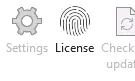
Please run the activation wizard on your computer. Launch Excel and click 'License' button on the XLBuddy ribbon:
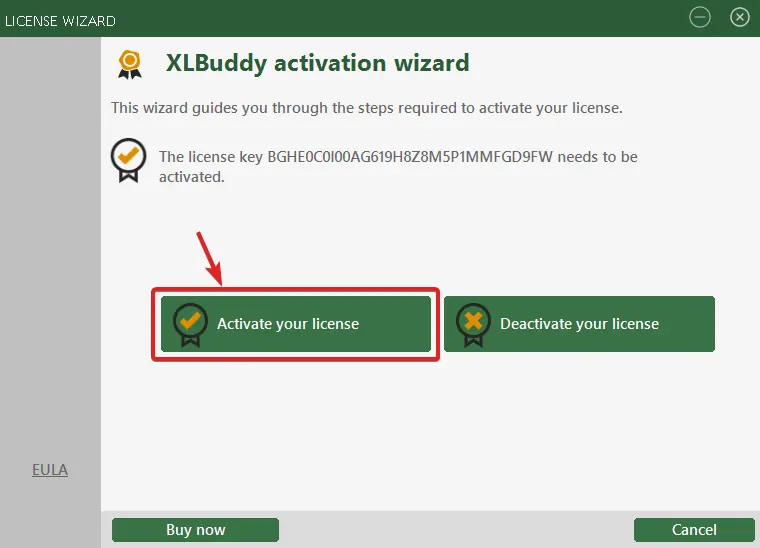
Once the wizard loads, please click the 'Activate your license' button:
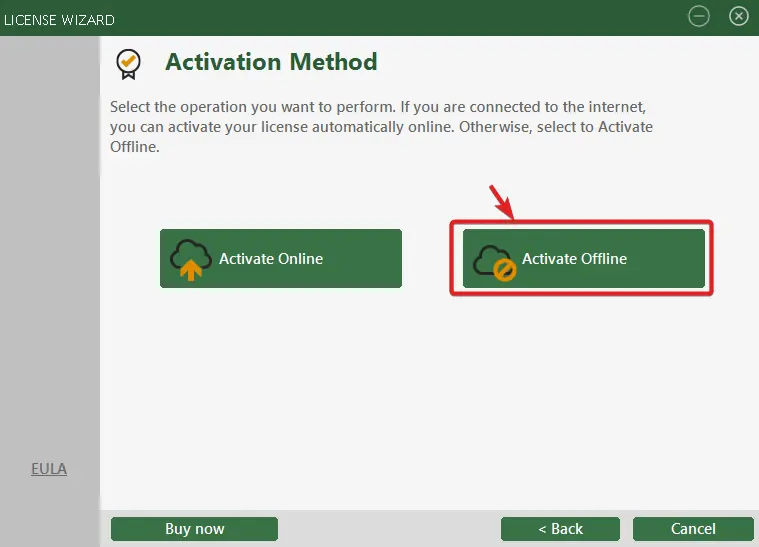
On the next screen, please click 'Activate offline':
After a second, you will be presented with the following screen:
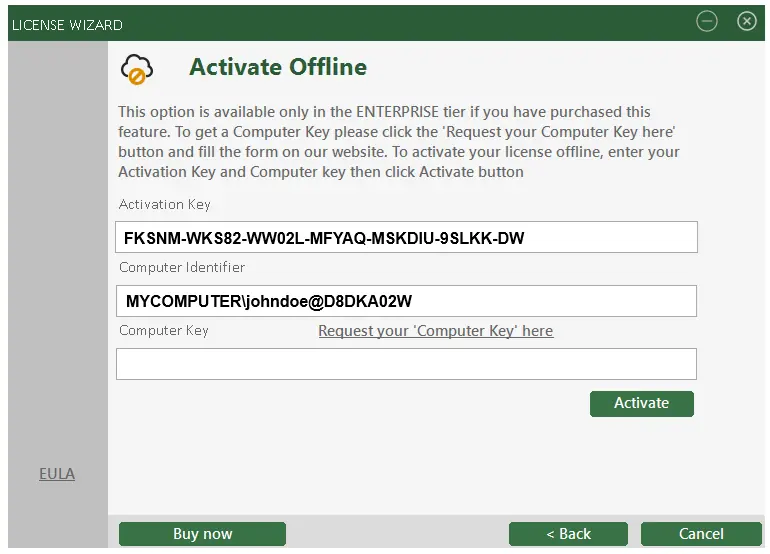
It will display your unique licensing details, specifically 'Activation Key' that you have purchased and the 'Computer Identifier'. You will need to copy them both from this screen and send them to us.
When we receive an e-mail from you with the mentioned information, we will activate your license and send the 'Computer Key' back to you, which you will have to enter into the appropriate field in the license wizard - visible on the screen above. Once done, you will be able to click 'Activate' and your license will be activated on that particular offline PC.
To receive the 'Computer Key' write to us using our support e-mail [email protected]. We will come back to you within 24 hours with the key.
You have just signed for your free 14-day trial of XLBuddy! We're excited for you to discover how you can supercharge your spreadsheets and save hours of work.
We've just sent an email with your personal license key and simple installation instructions to the address you provided. It should arrive in your inbox within the next 5 minutes.
To ensure you get started smoothly, please keep the following in mind:
Check your Inbox: Look for an email from [email protected] with the XLBuddy in the subject line.
Look in your Spam folder: If you don't see the email in your primary inbox, please take a moment to check your spam, junk, or promotions folder. Sometimes, our trial request emails get mistakenly filtered.
One Trial per user: Please note that to ensure a fair trial for everyone, our system is set up to create only one trial license per email address. If your email has been registered for a trial in the last year, a new key will not be generated or sent. If you used other mail than previously, you will not be able to activate the second trial either.
Having trouble?
If your email hasn't arrived after 15 minutes and you're certain this is your first time signing up, please don't hesitate to contact our support team at [email protected]. We'll be happy to get you sorted out right away.